A practical field note on p5.brush, the MIT-licensed p5.js library behind my reel: how stamp-based strokes work, the 11 brushes it really ships with, watercolour fills and hatching, a copy-paste quick start, and the exact Claude prompt to try.
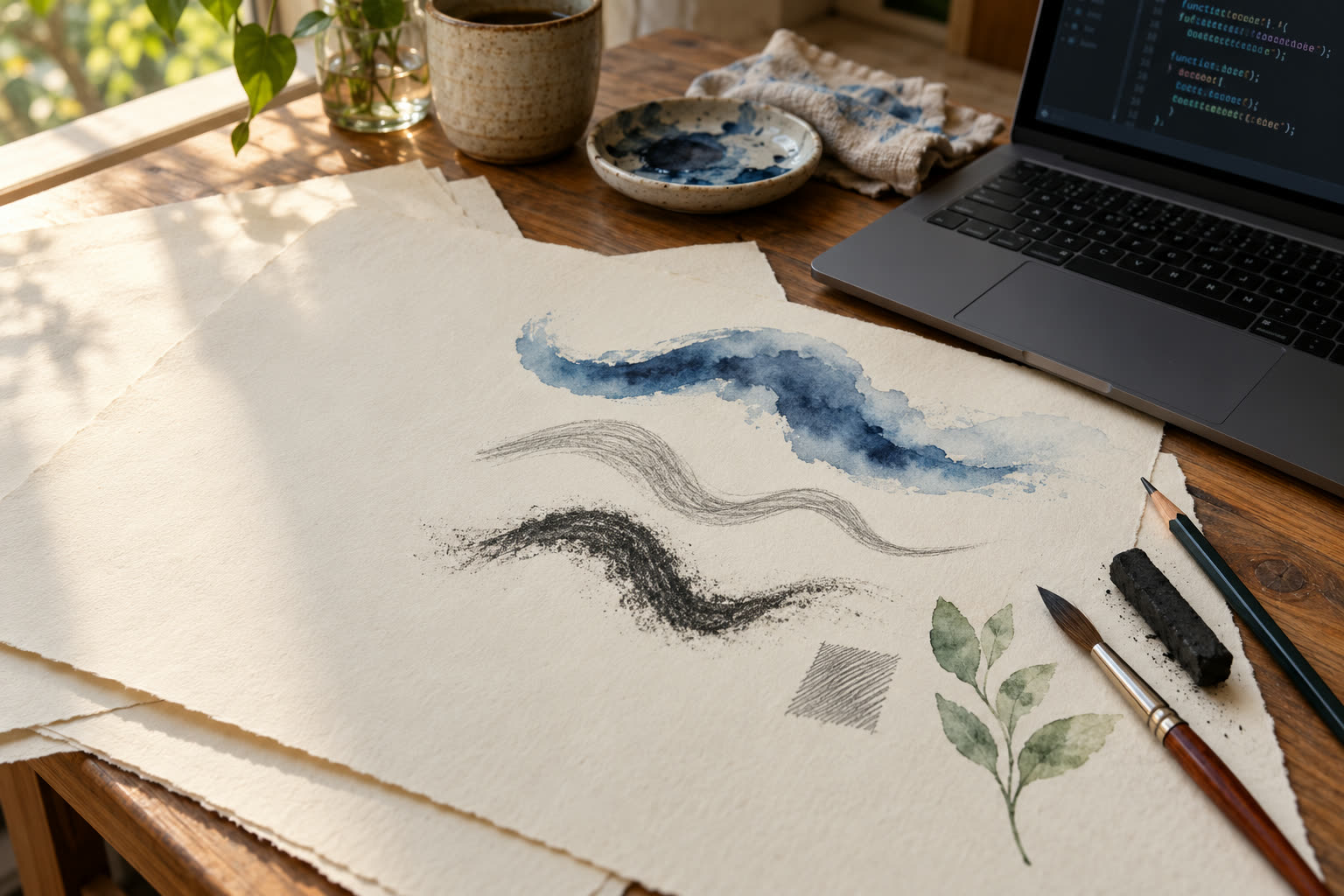
If you came here from my reel and commented BRUSH, this is the guide I promised: what p5.brush is, why its strokes look hand-drawn, the brushes it really ships with, a sketch you can copy and run in two minutes, and the exact prompt to get Claude to write one for you.
Everything on this page was checked against the library’s own GitHub repository and npm package on 21 October 2026. Apart from the cover illustration, every drawing on this page is a real p5.brush render. Most are stills from the reel; the brush chart and the quick-start result are fresh renders I made for this guide.
What p5.brush is
p5.brush is an open-source drawing library for p5.js, made by Alejandro Campos Uribe and released under the MIT licence. In the author’s words, it adds natural drawing tools to p5.js: pencils, charcoal, markers, watercolour fills, hatch patterns and vector fields that bend strokes organically. It is built for generative art and high-resolution printing.
The facts, as of 21 October 2026:
- Latest release on npm: 2.2.3, published 20 September 2026. The repository’s main branch already says 2.2.4, but that version is not on npm yet.
- Requires: p5.js 2.x and a
WEBGLcanvas. The package lists p5^2.2as a peer dependency. If you are still on p5.js 1.x, the older p5.brush 1.1.4 is the line built for that. - No p5? Also fine: there is a standalone build (
dist/brush.js) that needs only a WebGL2 browser. - Licence: MIT, copyright Alejandro Campos Uribe.
- Popularity: 1,123 stars and 69 forks on GitHub when I checked.
Why code-drawn art usually looks the same
Normal canvas drawing is mathematically perfect. Ask p5.js for line() and you get a clean stroke of exactly the width you asked for, with the same edge, the same opacity and the same colour from end to end. Draw it again and it is identical.
That is great for charts and UI. For art, it is the reason so much generative work feels locked into one look: crisp vector lines, flat fills, the “made by a computer” style. Asli pencil aisa nahi chalta. A real pencil drags grain, presses harder in the middle of a gesture, thins out at the end, and never draws the same line twice.
p5.brush keeps everything good about code, such as exact geometry, loops, randomness you can seed and repeat, and adds the missing part: marks that behave like physical media.
How it works: stamps, not lines
The core idea is simple. A p5.brush stroke is not one shape. The library takes the path you asked for and walks along it, pressing a small brush tip onto the paper again and again, like a rubber stamp. Every built-in brush is a recipe for how those stamps behave:
- Spacing: the gap between stamps along the path. The README puts it this way: 1 means no overlap, and lower values give denser strokes. Wide spacing shows the individual dabs; tight spacing melts them into one continuous line.
- Pressure: how the tip’s size changes from the start of the stroke to the end. You can give a simple array such as
[2, 0.5](thick to thin), a three-value swell such as[0.5, 2, 0.5], or a function. The built-in brushes use a Gaussian pressure profile, and the library adds a little random variation to every stroke so repeats do not look mechanical. - Scatter, grain and sharpness: how far each stamp wobbles sideways, how dense the texture is, and how soft the edge is. That is the difference between a hard technical pen and a dusty stick of charcoal.
- Opacity and noise: each stamp is partly transparent and builds up where stamps overlap. A noise setting shifts each whole stroke slightly lighter or darker, so ten strokes with the same settings still look hand-made.
For colour, the library uses spectral.js by Ronald van Wijnen, so overlapping colours blend more like paint than like digital transparency.

The same path, three looks
This is the demo from the reel that made it click for me. The code computes one wavy path, a list of points, and hands that exact same path to three different settings. Top: a watercolour fill along a ribbon around the path. Middle: the HB pencil. Bottom: charcoal. Same geometry, completely different feel.
The pencil and charcoal lines are one call each:
brush.set("HB", "#2a2724", 2.1);
brush.spline(path, 0.5);

brush.set("charcoal", "#1b1917", 1.8);
brush.spline(path, 0.5);
The watercolour version is a fill, not a brush. That distinction matters, so I explain fills properly below.

HB pencil and charcoal. A still from the reel.The 11 built-in brushes
p5.brush ships with 11 brushes. I read this list straight from the source code of version 2.2.3 (src/stroke/stroke.js), and you can print it yourself with brush.box():
pen: a fine ink pen.rotring: a crisp technical pen, the cleanest line in the set.2B: a soft, dark graphite pencil.HB: the everyday middle pencil.2H: a hard, light pencil for faint construction lines.cpencil: a coloured pencil.pastel: a broad, soft, chalky mark.crayon: a waxy, broken, grainy mark.charcoal: dark, dusty and expressive.spray: an airbrush-like cloud of scattered dots.marker: a flat, solid felt-tip marker.
One honest note. The library’s README still lists marker2 and hatch_brush instead of pastel and crayon. Those two came from version 1. In my reel the brush rows follow the README, so I recreated marker2 and hatch_brush with brush.add(). The image here is a fresh render of the real 2.2.3 list. If an AI model writes brush.set("marker2", …) for you on 2.2.3, that is why it fails with a “not found” error.
You are not limited to these 11. brush.add(name, params) creates your own brush from the same settings described above: weight, scatter, sharpness, grain, opacity, spacing, pressure, and a tip type of default, spray, marker, custom (a tip you draw yourself) or image (a photo as the tip). The author also built an interactive Brush Maker that previews a brush and gives you ready-to-paste brush.add() code.

brush.set().Fills, hatching and watercolour bleed
Lines are half the story. Closed shapes such as brush.rect(), brush.circle(), brush.polygon() and beginShape()/endShape() can also take a fill and a hatch.
Watercolour fill. brush.fill(color, opacity) turns on a watercolour-style fill. The README credits the approach to Tyler Hobbs’s essay on simulating watercolour: the shape is deformed and layered many times at low opacity, so edges pool darker and the inside stays luminous. Two controls shape it:
brush.fillBleed(strength, direction, angle): how far the paint bleeds past the edge, from 0 to 1, with"out"or"in"and an optional wash direction.brush.fillTexture(texture, border): how much texture is inside the wash and how strong the darker border is, both from 0 to 1.
If you just want flat colour, brush.wash(color, opacity) is a fast solid fill with no bleed.
Hatching. brush.hatch(distance, angle, options) fills the next shapes with parallel lines: the distance between them, their angle, and options for randomness, continuous zig-zag lines and a gradient in spacing. brush.hatchStyle(name, color, weight) picks which brush draws the hatch. There is also brush.mass(), which builds layered hand-shaded tone.
Vector fields. Optionally, brush.field(name) bends every following stroke along a flow field. Built-ins include hand, curved, zigzag, waves, seabed, spiral and columns. brush.wiggle(3) is a shortcut for a subtle hand-drawn wobble.
The leaf in the reel uses all of this in miniature: an HB outline and midrib, 2H veins, then two watercolour fills, a light wash over the whole leaf and a deeper glaze pooling in the lower half.

fillBleed and fillTexture. A still from the reel.Quick start: your first p5.brush sketch
Save this as index.html and open it in a browser. There is nothing to install, because both libraries load from the jsDelivr CDN. I pinned the versions I tested: p5.js 2.3.4 and p5.brush 2.2.3.
<!doctype html>
<html>
  <head>
    <meta charset="utf-8" />
    <script src="https://cdn.jsdelivr.net/npm/p5@2.3.4/lib/p5.min.js"></script>
    <script src="https://cdn.jsdelivr.net/npm/p5.brush@2.2.3/dist/p5.brush.js"></script>
  </head>
  <body style="margin:0">
    <script>
      // One wavy path as a list of [x, y] points
      function wave(y) {
        const pts = [];
        for (let i = 0; i <= 40; i++) pts.push([-240 + i * 12, y + 22 * sin(i * 18)]);
        return pts;
      }

      function setup() {
        createCanvas(600, 600, WEBGL); // p5.brush needs WEBGL; (0, 0) is the centre
        angleMode(DEGREES);            // p5.brush angles follow p5's angleMode
        background("#f6f1e8");
        brush.scaleBrushes(3);         // the README's starting point for 600x600

        // 1. The same path, three brushes
        brush.set("HB", "#2f2a26", 1.4);
        brush.spline(wave(-200), 0.5);
        brush.set("charcoal", "#1b1917", 1.2);
        brush.spline(wave(-120), 0.5);
        brush.set("pen", "#1f4b99", 2);
        brush.spline(wave(-40), 0.5);

        // 2. A watercolour fill with bleed and texture
        brush.noStroke();
        brush.fill("#245796", 220);
        brush.fillBleed(0.2, "out");
        brush.fillTexture(0.6, 0.5);
        brush.circle(-120, 150, 90);
        brush.noFill();

        // 3. A hatched square drawn with a technical pen
        brush.set("rotring", "#2a2724", 1);
        brush.hatch(8, 45);
        brush.rect(140, 150, 170, 170, "center");
        brush.noHatch();
      }
    </script>
  </body>
</html>
The image under this section is a screenshot of exactly this sketch, run in Chrome with no console errors. Three things trip people up:
- Forgetting the WEBGL canvas. The p5 build of p5.brush draws on a WebGL canvas. With a normal 2D canvas, nothing works.
- Skipping scaleBrushes. Without it, the built-in brushes usually look far too thin for your canvas. The README suggests about 3 for 600×600. Tune it by eye.
- Radians vs degrees. Like p5, the library uses radians unless you call
angleMode(DEGREES). That matters for hatch angles.
Prefer the online p5.js Web Editor? Add the p5.brush script tag to its index.html and paste the wave and setup functions into sketch.js.

The Claude prompt to try
This is the kind of prompt that worked for me. It is specific about the library version, the canvas, and the brush names, because that is exactly where AI-written p5.brush code goes wrong.
Write a single self-contained index.html that draws a hand-drawn scene with p5.js 2.3.4 and p5.brush 2.2.3, both loaded from jsDelivr. Use a 700x700 WEBGL canvas, call angleMode(DEGREES), paint a warm off-white paper background, and call brush.scaleBrushes(3) before drawing. Draw a small red fish leaping out of the sea: blue watercolour waves made with brush.fill plus brush.fillBleed and brush.fillTexture, an HB pencil outline on the fish, a charcoal splash, and a sun hatched with the rotring brush using brush.hatch. Only use built-in brush names that exist in p5.brush 2.2.3: pen, rotring, 2B, HB, 2H, cpencil, pastel, crayon, charcoal, spray, marker. Only use functions documented in the p5.brush README, and do not invent any. Comment each section of the code.
Then change one thing at a time: swap HB for charcoal, raise the fillBleed strength, change the hatch angle. That is the fun part. Code se drawing banao, but the drawing still feels like your hand did it.
Tip: if something does not render, open the browser console. p5.brush throws clear errors. Draw before calling brush.set() and it says “No brush or color set”. Use a brush name that does not exist and it says the brush was not found and lists every available brush.
How the reel’s animations were made
The drawings in the reel are real p5.brush 2.2.3 renders. Claude wrote the sketches, and they were rendered frame by frame in a headless browser on my machine. One thing I learned on the way is useful if you want to animate p5.brush yourself.
p5.brush strokes are textured with randomness. If you redraw a stroke at 80% of its length, then at 82%, the grain of the whole stroke shuffles, so the line boils and shimmers. The fix was to paint each element once with p5.brush, keep that image as a layer, and then reveal it frame by frame with a mask that grows along the stroke’s path. The marks already on screen stay pixel-identical, and the drawing looks like it is being made in front of you.


Links: repo, docs and licence
- Repository: github.com/acamposuribe/p5.brush
- Docs: the README is the full API reference. The standalone build guide covers use without p5.
- Website: p5-brush.cargo.site
- Examples: the author’s p5.js Web Editor collection
- Tools: Brush Maker and Flow Field Generator
- Licence: MIT. You can use, modify and sell work made with it, as long as you keep the copyright and licence notice with copies of the library.
- npm: p5.brush. Install with
npm install p5.brush, thenimport * as brush from 'p5.brush'. With ES modules you need p5’s instance mode andbrush.instance(p), as the README explains.
Sources & further reading
- p5.brush on GitHub — Alejandro Campos Uribe
- p5.brush README and API reference
- p5.brush licence (MIT)
- p5.brush on npm
- p5.brush website
- p5.js
- A generative approach to simulating watercolor paints — Tyler Hobbs
- spectral.js — Ronald van Wijnen
This page is an independent explainer. It is not sponsored by or affiliated with the p5.brush author or the Processing Foundation. Version numbers, brush names and star counts were checked on 21 October 2026 and may change.
Frequently asked questions
What is p5.brush?
p5.brush is a free, open-source JavaScript library by Alejandro Campos Uribe that adds natural drawing tools to p5.js: pencils, pens, charcoal, markers, spray, watercolour-style fills, hatching and vector fields. It draws by stamping a textured brush tip along a path, so code-generated strokes look hand-made.
Which brushes are built into p5.brush?
Version 2.2.3 ships 11 brushes: pen, rotring, 2B, HB, 2H, cpencil, pastel, crayon, charcoal, spray and marker. The README still names marker2 and hatch_brush, which come from version 1. You can list the brushes in your copy with brush.box() and add your own with brush.add().
Does p5.brush work with p5.js 1.x?
The current 2.x releases need p5.js 2.x and a WEBGL canvas. For p5.js 1.x, the older p5.brush 1.1.4 release targets p5 1.11. There is also a standalone build of p5.brush 2.x that needs no p5.js at all, only a WebGL2 browser.
Can I use p5.brush in commercial work?
p5.brush is released under the MIT licence, which allows commercial use, modification and distribution as long as the copyright and licence notice are kept with copies of the library. Read the LICENSE.md file in the repository for the exact terms.
Did Claude really write the code in the reel?
Yes. The sketches behind the reel were written by Claude and rendered with p5.brush 2.2.3. Every drawing in this guide apart from the cover is a real p5.brush render, and the prompt above is a good way to try it yourself.